Dedicated Mac mini · macOS cloud server

Dedicated
Physical Mac Build Nodes

One Apple Silicon Mac mini, dedicated to your team—not a VM. Xcode and simulators run directly on the chip.
Choose M4 or M4 Pro,$20.1/dayand open your remote desktop in a browser after signing in.

Tools that run on your node
  • Xcode
  • fastlane
  • GitHub Actions
  • GitLab CI
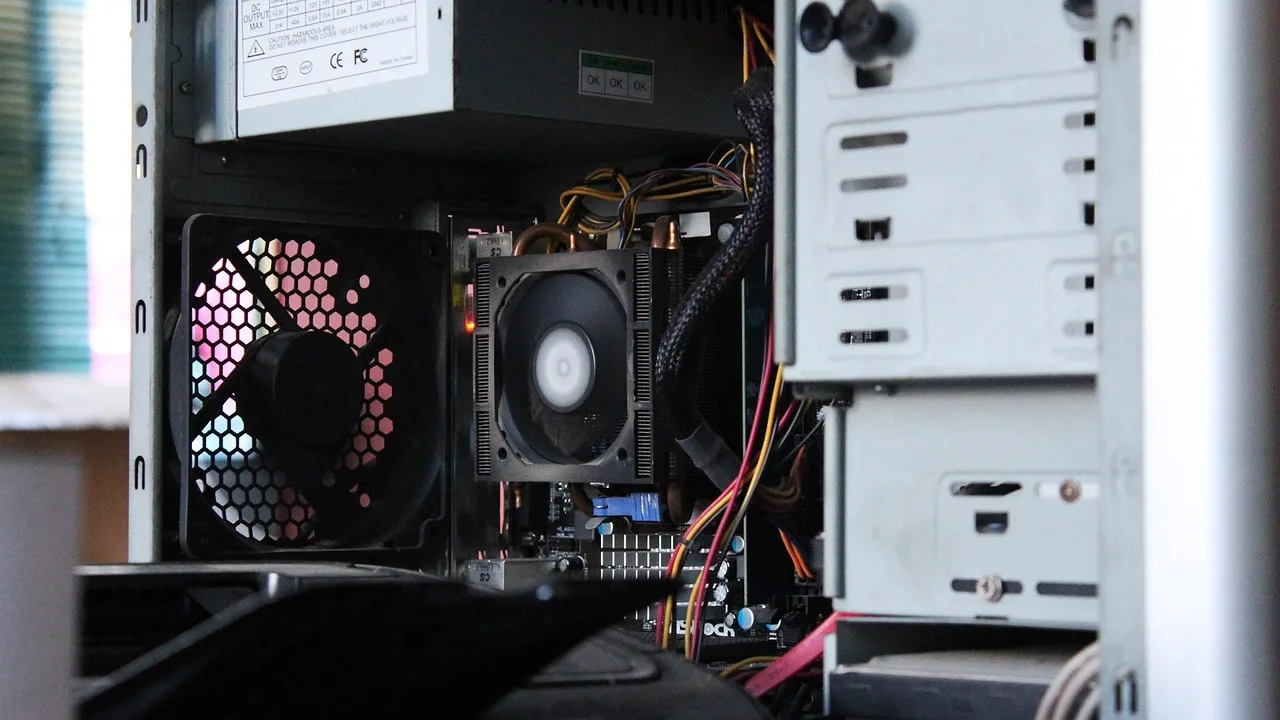
Close-up of the node’s physical processor and motherboard, showcasing dedicated Apple Silicon hardware PHYSICAL MAC MINI · NOT A VM
SINTYOSELHKG
Build boarding pass BOARDING
Flight · Build job
VF-2041ios-release / main
Gate · Location
SINSingapore
Seat · Machine ID
MM-SIN-07Registered exclusively to your account
Model
Apple Silicon M4Glide M4 · 16GB / 256GB SSD
$ xcodebuild -scheme App \
  -destination 'platform=iOS Simulator,name=iPhone 16' test
** TEST SUCCEEDED **  2m 41s
Need an M4 Pro with 64GB?Cruise M4 Pro · $61.5/day→
4 locationsAvailableSIN · TYO · SEL · HKG
≈4 minutesOrder to readyProvisioned after payment confirmation
4/4Nodes onlineAcross four locations
Physical · Dedicated machine in rack

One node. One complete Mac mini.

A complete Mac mini in a data center rack, with its Ethernet and power connections plugged directly into the facility network. No host machine, no virtualized resources.

MM-SIN-07 RACK B · TRAY 07 · APPLE SILICON M4
FRONT · Rack viewComplete Mac secured in a data center rack
POWER THUNDERBOLT HDMI ETH · Dedicated network interface
REAR · Close-upEthernet and power connected directly to the data center

Each node is a complete Mac mini, with its serial number registered to your account.

Dedicated · Physical machine

Your whole Mac, dedicated to your builds

Shared runners make you wait on other teams’ jobs. Your dedicated node runs only your team’s pipelines.

One complete Mac per customer

Each node is delivered as a complete Mac mini. Its machine ID, such as MM-SIN-07 is registered to one customer. When the rental ends, the entire drive is erased before the Mac is assigned to the next customer.

No virtualization layer. Simulators use the GPU directly.

Xcode indexing, Swift builds and the iOS Simulator run directly on Apple Silicon. Simulator rendering does not pass through a virtual GPU.

Dedicated storage and networking

The SSD and network interface belong exclusively to this machine. DerivedData caches, simulator images and build artifacts won’t compete with other jobs for I/O.

Build comparison · Same jobVF-2041
SHARED RUNNER · QUEUED #7 YOUR JOB Queue ≈30 min DEDICATED NODE MM-SIN-07 · READY TO GO No queue · Start now
Apple Silicon · M4 / M4 Pro

Two chips. Pick the right fit for your builds.

Choose 16GB / 256GB or 64GB / 2TB, with full specs and pay-as-you-go daily pricing.

GLIDE · EVERYDAY CI

Glide M4

Ideal for everyday CI on a single app: build on every commit, run unit tests and create nightly builds.

Chip
Apple Silicon M4
Memory
16GB
Storage
256GB SSD
$20.1/day$100.7/month
CRUISE · LARGE BUILDS

Cruise M4 Pro

Built for multi-target projects and large Unity builds: run parallel UI tests, archive apps and export IPAs.

Chip
Apple Silicon M4 Pro
Memory
64GB
Storage
2TB SSD
$61.5/day$307.4/month
Browser desktop · Remote access

Remote desktop, right in your browser

No client to install. See your Mac’s macOS desktop in three steps.

  1. 01Sign in to the console
  2. 02Click “Open Desktop”
  3. 03Access the macOS desktop in your browser
SSHScreen SharingAlong with browser-based remote desktop, connect to the same node over SSH or macOS Screen Sharing.
Timeline · Provisioning

Up and running in four steps

Provisioning starts after payment confirmation. Once setup is complete, open the desktop in your browser.

TOTAL≈4 minutesFrom payment confirmation
  1. Choose a model and location

    ≈1 minute

    Choose Glide M4 or Cruise M4 Pro, then select Singapore, Tokyo, Seoul or Hong Kong.

  2. Pay with USDT-TRC20 or card via Stripe

    ≈1 minute

    Pay in USD with USDT-TRC20 or Visa, Mastercard or Amex via Stripe.

  3. Machine assignment and setup

    ≈1.5 minutes

    A Mac mini is registered to your account, credentials are configured and macOS is set up.

  4. Open the remote desktop in your browser

    ≈0.5 minutes

    Click “Open Desktop” in the console, then configure SSH and your CI runner.

  5. Choose → Pay → Set up → Open desktop≈4 minutes
Pricing · Plans

Plans from$20.1/dayon

Choose a daily, weekly, monthly or quarterly rental. Prices are in USD.

Model Specs Day Week Month Quarter
Glide M4 Apple Silicon M4 · 16GB memory · 256GB SSD $20.1 $54.4 $100.7 $273.9
Cruise M4 Pro Apple Silicon M4 Pro · 64GB memory · 2TB SSD $61.5 $166 $307.4 $836.1

Pay in USD with USDT-TRC20 or Visa / Mastercard / Amexvia Stripe.

Compare plans
Locations · Data centers

Four Asia-Pacific locations, both plans available

Choose a location near your team for frequent remote desktop use. For unattended builds, pick based on price and specs.

Teams · Common workflows

Choose a rental period that fits your pipeline

Add a node by the day for release week, rent monthly for regular builds, or choose 64GB for larger projects.

Release week · Temporary capacity

Add a node for release week, billed by the day

Run UI tests and archives in parallel, then stop after release—no need to pay for idle time.

Cruise M4 Pro$61.5/day
Nightly builds · Scheduled runs

Run nightly builds on a monthly plan

Keep your runner available and set it to start automatically for nightly test builds.

Glide M4$100.7/month
Unity · iOS builds

Build iOS IPAs from Unity projects

64GB memory and a 2TB SSD for Unity exports and app archives.

Cruise M4 Pro$307.4/month
FAQ · Answers

Frequently asked questions

Node type: a complete physical Mac

Every node is a complete Apple Silicon Mac mini, dedicated to one customer—not a VM. Simulators use the GPU directly.

Payment methods and currency

Pay only with USDT-TRC20 or Visa, Mastercard or Amex via Stripe. All prices are in USD. Machine provisioning begins after payment confirmation.

Upgrade from Glide M4 to Cruise M4 Pro

Request an upgrade in the console. Pricing is based on the new model and selected rental period; see the rental plans page for details.

What happens to my data when the rental ends?

We’ll send a reminder before the rental ends. If you don’t renew, service stops at expiry and the entire drive is erased before the Mac is assigned to the next customer.

Add a dedicated Mac to your pipeline

From $20.1/day · 4 locations